AI Workflows & Training
Your team's AI system, built to last.
Not prompts scattered across Slack threads. A complete skills library your team can use, maintain, and extend on their own.
01 // THE PROBLEM
Why most AI "adoption" fails
Prompts live everywhere and nowhere.
Someone builds something useful. It ends up in their Notes app, a Slack thread, a Google Doc. Six months later, nobody knows what's current or where to find it.
Context drift kills output quality.
Your positioning changes. Your product changes. Your users change. But the prompts don't update with them. Quality degrades slowly and nobody can pinpoint why.
Knowledge walks out the door.
The person who built your prompts leaves or goes on vacation. Suddenly nobody knows what works, what's outdated, or how to fix what's broken.
No shared standard for "good."
Without documented examples, every team member has a different quality bar. What used to be consistent output becomes unpredictable. Some work lands, some doesn't.
02 // The Solution
The skills framework
Universal
Skills
Your Business
Context Files
Built-in QC
Example Outputs
Consistent, High-Quality Work
Universal Skills
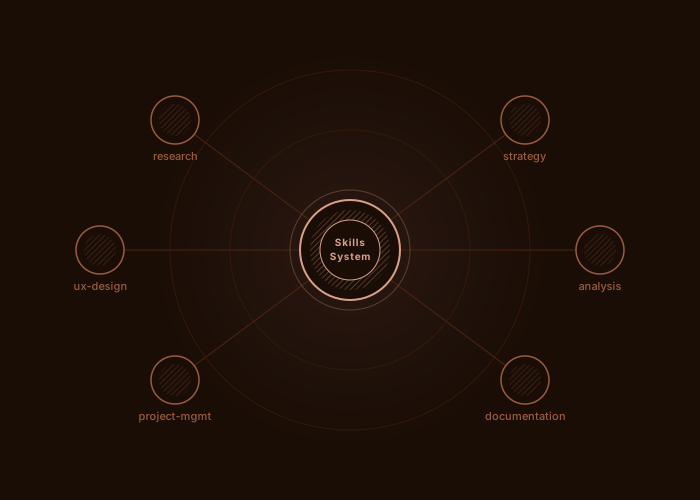
Reusable AI workflows for specific work types: research, prototyping, UX, project management, and more. They encode judgment, not just steps. Build once, deploy to any team by swapping context.
Context Files
Files that make universal skills specific to your business: users, product strategy, technical constraints, and competitive landscape. Update context in one place, and every skill reflects the change automatically.
Example Outputs
Before handoff, real outputs get generated using your skills and context. You review, we iterate until they match your bar. Those approved samples become the quality standard your team references.
03 // Infrastructure
Real infrastructure, not just files
Obsidian Vault
Visual system management
See connections through the graph view
Navigate between files with internal links
Understand the whole system at a glance
GitHub Repository
Version control + backup
Track every change over time
Collaborate safely as a team
Restore previous versions if needed
Both tools are free. Both work on any OS. You own everything - open formats, no vendor lock-in.
04 // What's included
What you walk away with
Works With Your Tools
The skills system is platform-agnostic. How you use it depends on your team's setup:
Claude Code
No setup required
Point to your local skills folder. Claude Code accesses them automatically.
Claude Cowork
Plugin included
Skills bundled with slash commands and agents. Load with one command.
ChatGPT / Gemini / Other
Attach files per task
Upload relevant skill and context files for each task.
Your team walks away able to run the system independently. No ongoing dependency required.
05 // Process
How it works
4-6 weeks from kickoff to handoff.
Discovery
I learn your business through interviews and document review. Context files get populated.
Design
We select skills from the library and identify gaps. Approach finalized before building.
Build
I generate example outputs using your context. You see what "good" looks like.
Refine
We iterate on examples until they match your bar. Nothing ships until you approve.
Train & Handoff
Live training sessions. Hands-on practice. Your team is ready to run independently.
Weekly check-ins throughout. No surprises.
06 // Pricing
Fixed pricing, scoped by engagement
Flat Pricing Model
scoped after discovery call
Every engagement is different. After a discovery call, you get a single flat price based on your specific scope. No ranges, no hourly billing, no surprises mid-project.
Standard setup vs. deep knowledge architecture
Training type: Async Loom videos vs. live sessions
Skill source: Baseline library vs. custom development
Payment is 50% upfront, 50% on delivery.
Made with
♥
in New York